
Breathedge 2 Workbench & Wardrobe: Which Upgrades Fit?
Updated · Breathedge 2 Wiki
Use a workbench to install tool upgrades and a wardrobe for suit protection. Match the part to the slot: the crowbar takes Handle and Heavy parts, while the Cutter and Thumper take Sharp parts. Making an item, repairing it and fitting an upgrade are separate decisions.
Station roles, compatible tool parts and protection-material sources: Steam Build 25584330, updated October 4, 2026. Compare effects on the item receiving the upgrade; the same part can behave differently on another item.
In this guide
Choose the right station for the change
| Task | Station or action | What to check |
|---|---|---|
| Make a basic item | Its crafting recipe | Blueprint access and ingredients |
| Upgrade a tool | Workbench | The tool’s available slots and compatible parts |
| Upgrade equipment | A workbench capable of that equipment | The table’s capabilities and available upgrade |
| Add suit protection | Wardrobe | Suit slot, panel condition and protection tradeoffs |
| Repair damage | The item’s repair interaction | Repair materials rather than a replacement upgrade |
Basic tools can be made by hand, while fitting a durable upgrade calls for the appropriate workbench. Better-equipped workbenches support more complex tools and equipment.
The wardrobe is for changes to the suit you are wearing. Prepare the protection materials, then compare the result across all five suit slots before leaving the safe area.
Match the category before judging the bonus
| Category | Typical purpose | Example |
|---|---|---|
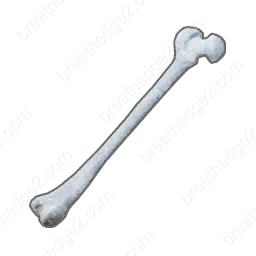
| Handle | A grip for a compatible tool | Bone on the crowbar |
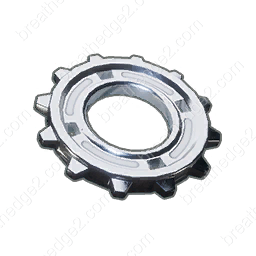
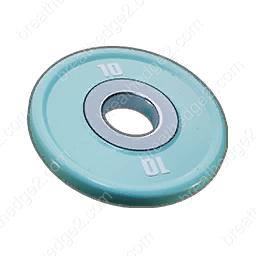
| Heavy / Heft | A heavy part for a tool or machine | Gear or Barbell plate |
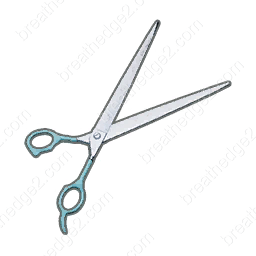
| Sharp / Edge | A cutting or piercing part | Scissors or Jaws |
| Protection | Suit protection and compatible repairs | Cardboard, Foam, Knitted teddy bear |
| Capacity / Container | A container for a compatible machine | Food-machine capacity parts |
A useful part is not automatically compatible with every slot. Start with the category accepted by the item, then compare the listed effect for that item.
A Gear on a crowbar and a Gear in a food machine perform different jobs. A tool’s damage bonus does not describe the machine’s processing speed.
Keep parts that fit your current tools
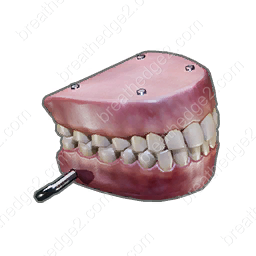
| Tool | Slot | Parts |
|---|---|---|
| Crowbar | Handle | Bone |
| Crowbar | Heavy | Gear, Barbell plate |
| Cutter | Sharp | Scissors, Jaws |
| Thumper | Sharp | Scissors, Jaws |
The crowbar has separate Handle and Heavy choices. The Cutter and Thumper accept Sharp parts, including both Scissors and Jaws.
The same pair of Scissors is not a universal numerical bonus. Read the comparison on the specific tool and consider its upkeep alongside its performance. Do not buy or carry several unrelated parts merely because they all say “upgrade.”
Gather protection materials for the wardrobe
| Material | Where to look | How to collect |
|---|---|---|
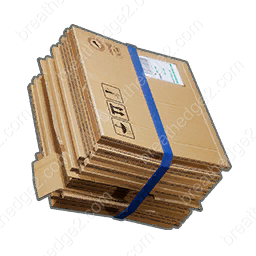
| Cardboard | Bales of waste paper in wreckage | Cutter; rare loose pieces can be collected by hand |
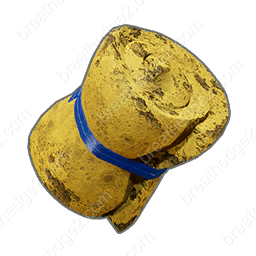
| Foam | Foam panels and cushions | Cutter; rare loose pieces can be collected by hand |
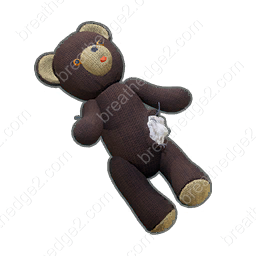
| Knitted teddy bear | Crates, panels and rare loose pickups | Collect from crates; panel access uses the Robo-Arm |
Cardboard and Foam are gathering materials, so a Cutter can supply more than just Wires and Fabric. If a service panel contains the part you want, opening it with the Robo-Arm is a separate interaction from cutting a sheet of material.
Teddy-bear filling helps with cold and radiation protection, while each panel also has tradeoffs. Choose for the area you intend to enter and the complete suit result.
Compare the complete suit before installing every panel
The planner’s panel totals describe full-condition contributions. Worn panels and other equipment can change the protection shown in game. A target such as 100 Cold Protection is useful for planning a quest, but it does not make every cold location safe.
Keep machine containers, tool blades and suit protection as separate upgrade choices. This avoids spending a scarce part on a machine when you still need it for the next suit or tool task.
- Choose the hazard you need to prepare for, such as cold, radiation or physical damage.
- Select panels for the torso, both arms and both legs in the Suit Planner.
- Include protection already provided by equipment or earned rewards when assessing your target.
- Check heat, physical and radiation tradeoffs as well as the cold total. Foam can increase hunger drain.
- Install compatible parts at the wardrobe, then compare the actual suit display before starting the trip.
Sources and version notes
Continue with a useful guide
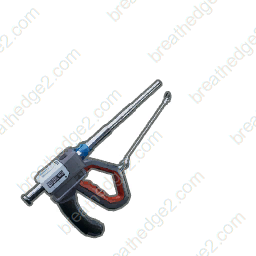
Gathering Tools: Materials, Repairs & Maintenance
Match each resource to the right tool, distinguish surface and deep deposits, and pack repair materials and Spraytron charges before a gathering trip.
Read the guideRecipe Unlocks: Blueprints, Gray Slots & Pickups
Find the pickups that unlock eight recipes, including Cutter and Backpack, then decode gray crafting slots, question marks and the HUD blueprint queue.
Read the guide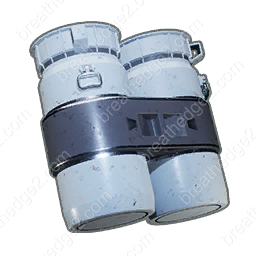 ▶ Video chapters
Food Machine: Repair, Upgrades & Token Unlocks
Compare food-machine tank capacities from 90 to 150 nutrients, choose upgrade parts, prepare repairs and unlock more food with Tokens.
Read the guide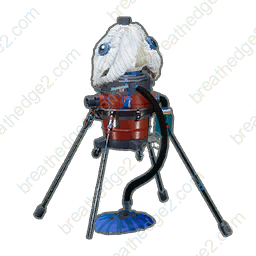 ▶ Video chapters
Oxygen Stations & Oxyworms: Repairs and Refills
Compare public stations, portable oxygen stations and worm nests. Prepare repair supplies, battery cells and a route with places to refill.
Read the guide