
Breathedge 2 Recipe Unlocks: Blueprints, Gray Slots & Pickups
Updated · Breathedge 2 Wiki
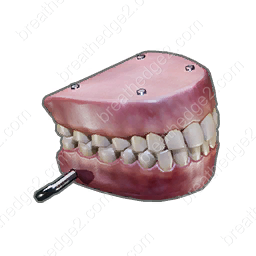
Pick up Aluminum, Jaws or Scissors to unlock the Cutter recipe; any one of the three works. Plastic unlocks Thumper, Fabric unlocks Medkit, Rubber unlocks Backpack, Light bulb unlocks Flashlight, and Refined metal unlocks Gas tank. You still need the recipe’s crafting materials afterward.
Pickup unlocks and crafting-menu help: Build 25584330, October 5, 2026. These are available unlock routes; world activities and other progression can also reveal blueprints.
In this guide
Pick up the item that reveals the recipe

| Recipe | Pick up any one of these |
|---|---|
| Cutter | Aluminum or Jaws or Scissors |
| Thumper | Plastic |
| Medkit | Fabric |
| Backpack | Rubber |
| Flashlight | Light bulb |
| Gas tank | Refined metal |
| Alcohol | Alcohol |
| Spraytron | Spraytron |
Use the table when a blueprint is missing from your crafting list. The pickup column names the item to collect, while the recipe page lists the materials you spend to make the finished object.
The Cutter has three alternative pickup triggers. You do not need Aluminum, Jaws and Scissors together just to reveal its blueprint. Picking up an upgrade part also does not replace the Aluminum, Plastic and Metal required for crafting the tool.
Find the first Spraytron or Alcohol before relying on its recipe
Spraytron and Alcohol each unlock their own crafting recipe when picked up. A shopping list of ingredients alone does not solve the first-copy problem. For Spraytron, search the world for its blueprint or the tool and follow your current quest instructions.
Alcohol also appears among the food machine’s Token unlocks. Its machine button and hand-crafting recipe are separate unlocks: use the machine guide for the coin sequence, then collect the dispensed item.
Read gray slots and question marks correctly
| Appearance | Meaning | Next step |
|---|---|---|
| Blue blueprint slot with a colored item | Ready to craft | Select the blueprint and use Craft |
| Gray blueprint slot | Known blueprint, but materials or the required crafting level are missing | Compare the resource counts and the listed level |
| Question mark on an unknown resource | You have not discovered that required resource | Find and collect the missing resource |
| Black-and-white resource slot | Not enough of that resource | Gather the difference shown by the owned/required counts |
A gray blueprint is different from a missing blueprint. Check the resource counts before looking for another unlock. A colored resource slot means you have enough of that particular ingredient, not necessarily every ingredient.
Basic crafting and fitting upgrades have different requirements. Use the workbench for tool upgrades and the wardrobe for suit changes; collecting a compatible part does not install it automatically.
Track a blueprint without losing the rest of your plan
Add a blueprint to the in-game task list from its crafting-slot menu. You can track multiple blueprints, but only some fit on the HUD at once; additional entries queue instead of all appearing together. The task-list tag on a blueprint shows that it is already tracked.
Once a blueprint is available, open its material plan and enter your owned supplies. The planner calculates missing ingredients; adding a goal there does not unlock the recipe in your game.
Sources and version notes
Continue with a useful guide
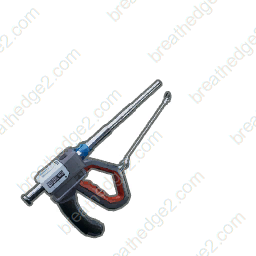
Gathering Tools: Materials, Repairs & Maintenance
Match each resource to the right tool, distinguish surface and deep deposits, and pack repair materials and Spraytron charges before a gathering trip.
Read the guide
Workbench & Wardrobe: Which Upgrades Fit?
Choose the station for a tool or suit upgrade, match parts to compatible slots and gather Cardboard, Foam and Knitted teddy bears for protection.
Read the guide ▶ Video chapters
Food Machine: Repair, Upgrades & Token Unlocks
Compare food-machine tank capacities from 90 to 150 nutrients, choose upgrade parts, prepare repairs and unlock more food with Tokens.
Read the guide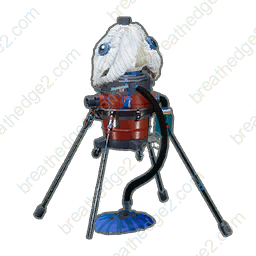 ▶ Video chapters
Oxygen Stations & Oxyworms: Repairs and Refills
Compare public stations, portable oxygen stations and worm nests. Prepare repair supplies, battery cells and a route with places to refill.
Read the guide