
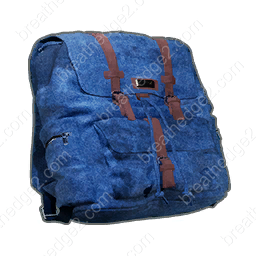
Backpack Upgrade Part: Location & Machine Slot
Blue backpack · Backpack capacity part
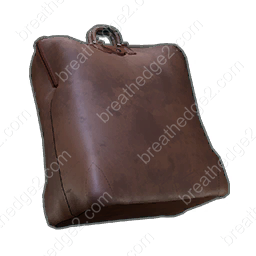
Keep the blue fabric Backpack for the Nutri-Pack-O-Mat Capacity slot. It is a rare wreckage pickup, separate from the Backpack equipment that increases what you can carry.
Add to material plan →Separate the machine part from wearable equipment
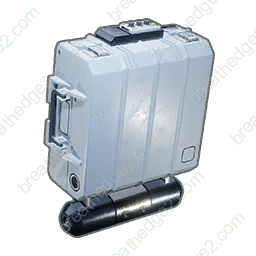
Two different items use the Backpack name. This blue bag is an upgrade part with weight 2 and maximum part durability 100. It belongs in a compatible machine; finding one does not replace crafting or equipping your personal Backpack.
If your immediate problem is a full inventory or slow movement under a heavy load, open the equipment Backpack page. A larger food-machine container helps storage at the machine, while your carried-weight limit is a separate concern.
Search loose wreckage pickups
Look among damaged ships and station wreckage for a loose fabric bag with a pickup interaction. Collect it by hand. This is a rare find, so include it in an existing salvage circuit instead of making your next meal depend on finding one.
Leave room for the part before extending the route. A bag sitting in your inventory contributes weight until you bring it back; its name does not give it the function of equipped storage.
Compare it with the container already installed
| Capacity part | Tank capacity | Gain over original |
|---|---|---|
| Original container | 90 | — |
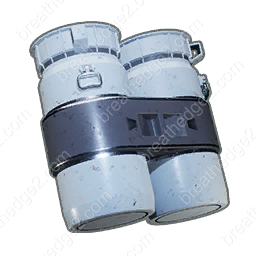
| Plastic barrel | 150 | +60 |
| Leather bag | 135 | +45 |
| Backpack upgrade part | 120 | +30 |
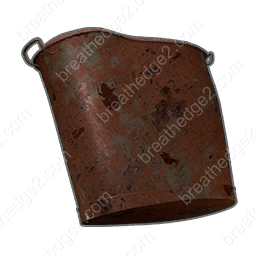
| Rusty bucket | 110 | +20 |
Installing the blue Backpack gives the Nutri-Pack-O-Mat 120 nutrients of tank capacity, compared with 90 for its original container. Plastic barrel and Leather bag hold more, while Rusty bucket holds less.
The table covers nutrient storage in Build 25584330, updated October 18, 2026. The four containers are alternatives for the same slot. Compare part condition and the machine’s other effects when deciding which one to use.
Use the storage you have before chasing an upgrade
A working food machine can feed you before this part appears. Process a manageable amount of biomass, dispense food, and compare remaining storage before loading more. Once you return with the Backpack, compare its condition and effects before starting a large batch.
Item details
- Category
- Upgrade part
- Verified build
- 25584330
- Weight
- 2
- Maximum part durability
- 100
How to obtain
- Search ship and station wreckage for a loose blue fabric Backpack. Pick it up by hand; it is a rare find.
Uses
- Fits the Capacity slot of the Nutri-Pack-O-Mat.
- Compare its installed storage and tradeoffs with a barrel, bucket or Leather bag.