Breathedge 2 Weird Toilet: Three Repairs & Cold Protection Reward
Updated · Breathedge 2 Wiki
Weird toilet has three material checks: opening the door, repairing the wiring and repairing the panel. Together they need 4 Plastic, 3 Wires, 4 Electronics, 2 Metal, 6 Aluminum, 2 Refined metal, 2 Rubber and 2 Techbits. The battery interaction is separate. Finishing the associated achievement grants +10 Cold Protection.
Repair checklist and reward: Steam Build 25584330, October 4, 2026. The community video provides a route reference; the 0.8.10 notes cover a later collision fix beside the toilet door.
In this guide
Follow the route on video
Community footage recorded before the latest fixes. Use the current material lists and patch notes alongside the route.
Use the repair table for the stage still in your journal
| Objective | Materials |
|---|---|
| Open the toilet door | 2 Plastic, 3 Wires, 2 Electronics, 2 Metal, 2 Aluminum |
| Repair the wiring | 2 Plastic, 2 Refined metal, 2 Electronics |
| Repair the panel | 2 Rubber, 2 Techbits, 4 Aluminum |
Plastic and Electronics are used in both the door and wiring checks. Aluminum appears at the door and again at the panel. If you gather for only the first interaction, retain the remaining checklist for the second trip.
The panel needs two finished Techbits. These have their own recipe, so distinguish Techbits you already own from the raw materials required to craft more.
Pack the three repairs together when none are complete
| Material | Total |
|---|---|
| Plastic | 4 |
| Wires | 3 |
| Electronics | 4 |
| Metal | 2 |
| Aluminum | 6 |
| Refined metal | 2 |
| Rubber | 2 |
| Techbits | 2 |
- Open the combined Weird toilet plan and enter the finished materials already in your inventory.
- Remove individual Weird toilet repair goals from the same saved plan before adding the combined target, so the same work is not counted twice.
- If you already opened the door or finished another repair, use only the individual goals still needed.
- Let the planner expand missing Techbits or Refined metal, then compare the remaining supplies with the in-game repair prompt.
Materials do not complete the battery and activation steps
Insert battery and Activate the toilet are separate objectives from the three material checks. The combined total covers the listed repairs; it does not claim to provide the physical battery interaction.
If all three repairs are done but the quest remains active, read the journal text again. A battery or activation prompt calls for its own interaction, while a wiring or panel prompt is where you compare the material rows.
Keep Weird toilet distinct from Thronehauler, another toilet-related side quest. Their objectives and repair plans are different, so use the quest name instead of searching only for “toilet.”
Use the +10 Cold Protection reward in your suit plan
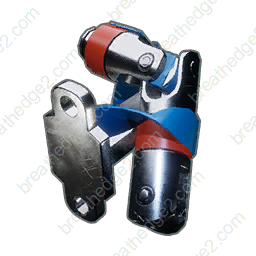
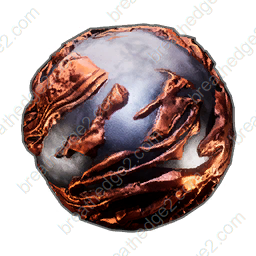
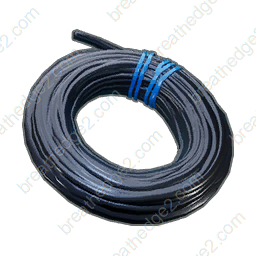
The Weird toilet achievement requires fixing the toilet and awards +10 Cold Protection. This makes it a useful side objective when you are already working toward the 100 Cold Protection task.
The reward belongs in the permanent bonus portion of your loadout. Do not count it once for every suit piece. For example, a suit-and-reward total of 90 reaches 100 when this additional +10 is earned, provided it was not already included in the original total.
Cold Protection reduces one part of survival pressure. Keep checking your active cold stage even after receiving the reward, especially when exploring areas with different hazards.
Use the 32:31 route chapter to recognize the area
MrLeLedg’s Chapter 1 side-quest video begins the Weird toilet chapter at 32:31. Use the recording to identify the approach and the visible interactions, then keep the material table beside your current journal.
The video was recorded before the latest fixes. It is a route aid rather than a promise that every door interaction or save state behaves exactly like the recording.
A stuck door after loading is a version issue to compare
The 0.8.10 notes fix the character becoming stuck beside the white toilet door when loading a save. If the obstacle is movement or collision immediately after loading, compare the installed patch before treating it as another missing repair item.
If the character can move normally but the quest does not advance, identify whether the current prompt names the door, wiring, panel, battery or activation. These point to different actions; repeating a completed repair does not address a separate interaction.
Sources and version notes
- RedRuins Softworks / Steam0.8.10 — Patch Notes
- MrLeLedg / YouTubeChapter 1 side quest routes with video chapters
Continue with a useful guide
 ▶ Video chapters
Repair Train: Kettle, Water & Cabin Supplies
Prepare train repairs and compare the kettle’s 20-water-per-Ice budget with the 2-Ice bottle recipe. Calculate drinking supplies across several batches.
Read the guide
Help Babe: Roof Battery, Pantograph & Intercom
Prepare the crowbar and all four intercom materials, separate the roof battery from the repair, and resolve the opening quest’s progression prompts.
Read the guide
Retrieve the Jammer: Depot Tools & Repair Materials
Prepare five repairs for the Depot and shuttle, bring the Spraytron and crowbar, and distinguish identity, cleaning and launch objectives from material checks.
Read the guide ▶ Video chapters
Chuck’s Taxi: Repair Materials & Quest Fixes
Pack the drill, radiator and hinge materials in one plan, then check the taxi inspection, logo, pump and panel objectives against current patch fixes.
Read the guide